The best social media management tools for small businesses in 2026 are 1. SocialPilot (best overall value), 2. Buffer (best for simplicity), Later (best for Instagram & visual brands), Hootsuite (best for enterprises), and SocialChamp (best free plan). Prices start as low as $5/month.
What Are Social Media Management Tools — And Do You Really Need One?
If you're running a business in 2026 and manually posting to Facebook, Instagram, LinkedIn, and X (Twitter) every single day — you're burning time that could go toward growth. Social media management tools let you schedule posts, track performance, respond to audiences, and analyze competitors all from one dashboard.
But here's the real question: which tool is right for YOUR business?
After testing more than 40 platforms across freelance projects, agency work, and my own brand, I've narrowed this list to the best affordable social media management tools available today — with honest pros, cons, and who each tool is genuinely best for.
Why Social Media Management Tools Matter in 2026
Social media algorithms now reward consistency, engagement speed, and platform-native content. Manually juggling five platforms is no longer competitive. Here is what a good tool does for you:
- Schedules content weeks in advance — so you stay consistent without being online 24/7
- Consolidates all your inboxes — reply to comments and DMs from one place
- Provides analytics — understand what content drives traffic, leads, and sales
- Enables team collaboration — approve, assign, and track content with teammates or clients
- Monitors competitors and keywords — stay ahead of trends in your niche
How I Evaluated These Tools (My Testing Methodology)
Every tool in this guide was evaluated across six dimensions during real usage — not just by reading feature pages:
- Ease of Use: How quickly can a non-technical user get up and running?
- Feature Depth: Scheduling, analytics, inbox management, automation — does it cover core needs?
- Pricing Transparency: Is the pricing clear? Are important features locked behind expensive tiers?
- Platform Coverage: Which social networks are supported? (Facebook, Instagram, LinkedIn, X, TikTok, Pinterest, YouTube)
- Agency/Team Suitability: Can you manage multiple client accounts and add team members?
- Customer Support: Is support responsive and genuinely helpful?
Top 25 Social Media Management Tools: In-Depth Reviews

SocialPilot is my top recommendation for small businesses and marketing agencies who need professional-grade features without enterprise pricing. After using it across multiple client accounts, what stands out most is how it balances bulk scheduling power with a clean interface that doesn't overwhelm new users.
The white-label PDF reporting feature alone makes it worth it for agency owners — you can send branded reports to clients without ever revealing the tool you're using.
Key Features:
Best For:
Small business owners, freelancers, and digital marketing agencies managing multiple client accounts.
Free Trial
✅ 14-day free trial — No credit card required
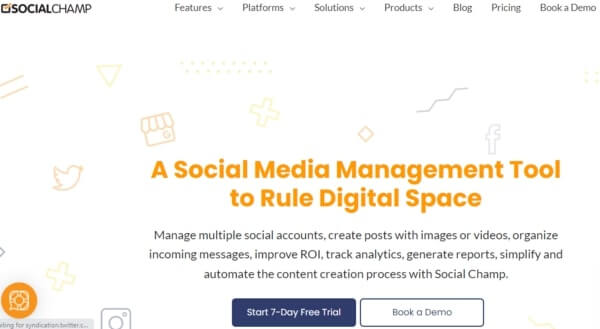
SocialChamp punches well above its price point. The free plan supports up to three social accounts with solid scheduling and basic analytics — genuinely useful for solopreneurs just getting started.
What I appreciate most is the smart automation: connect your blog via RSS and SocialChamp auto-posts new content the moment it's published. The Chrome extension makes adding content from anywhere on the web effortless.
Key Features:
Best For:
Solopreneurs, bloggers, and small business owners looking for a capable free or low-cost tool.
Free Trial
✅ Free plan available forever (3 accounts)
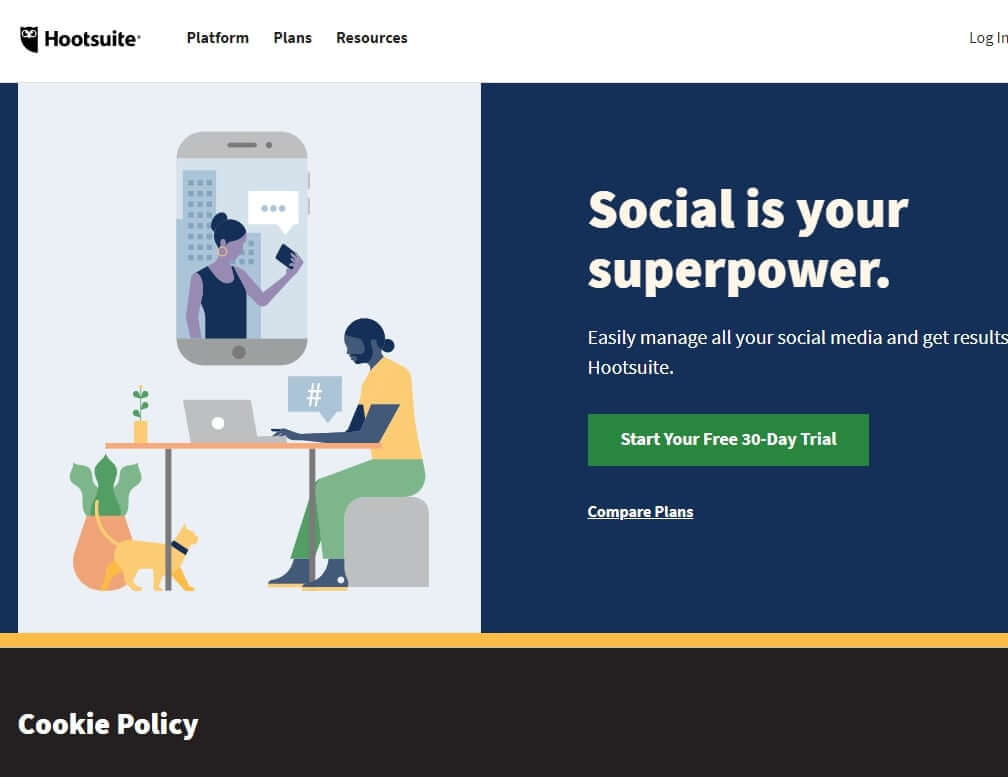
Hootsuite is the industry veteran — and for good reason. It supports more than 35 social network integrations, making it unmatched in platform coverage. The unified inbox, advanced analytics, and team permission controls are best-in-class.
However, Hootsuite's pricing has increased substantially in recent years, making it less accessible for solo operators. If you're managing a team of five or more or running a mid-to-large social media agency, the investment pays off.
Key Features:
Best For:
Mid-to-large social media agencies, enterprise marketing teams, and brands managing 10+ accounts.
Free Trial
✅30-day free trial
Buffer is the tool I recommend to people who have been overwhelmed by more complex platforms. The interface is genuinely elegant — scheduling a post takes about 10 seconds. The analytics dashboard is simple but insightful, showing you top-performing posts, reach, and engagement trends clearly.
It lacks some advanced features like social listening, but for small businesses focused on consistent publishing and understanding what works, Buffer is hard to beat.
Key Features:
Best For:
Solopreneurs, content creators, and small brands who prioritize simplicity and clean data.
Free Trial
✅14-day free trial
Later was built for visual content first — and it shows. The drag-and-drop Instagram grid planner is the best I've seen: you can visually rearrange posts to design your feed aesthetic before anything goes live.
The Linkin.bio feature turns your Instagram bio link into a mini-website with clickable posts. Best-time-to-post suggestions are data-driven and genuinely improve engagement. Later has expanded well to TikTok, Pinterest, and LinkedIn too.
Key Features:
Best For:
eCommerce brands, lifestyle bloggers, content creators, and visual-first businesses.
Free Trial
✅14-day free trial
The feature that makes AgoraPulse stand out is its automated inbox assistant. You set moderation rules — keywords, sentiment, user type — and AgoraPulse automatically tags, assigns, hides, or responds to messages. For agencies managing dozens of client accounts, this alone saves hours per week.
The competitor benchmarking reports are also more detailed than most tools at this price range.
Key Features:
Best For:
Social media agencies managing multiple client accounts with high-volume inboxes.
Free Trial
✅15-day free trial — No credit card required
Sprout Social is the most analytics-rich tool on this list. It tracks customer conversations across platforms, identifies sentiment trends, and integrates directly with CRMs like Salesforce and HubSpot — turning social data into sales intelligence.
The built-in chatbot builder helps automate customer service responses 24/7. Pricing is on the higher end, but data-driven brands find it genuinely worth it.
Key Features:
Best For:
Data-driven brands, eCommerce businesses, and enterprises that use social for customer service.
Free Trial
✅30-day free trial
If your business already uses Zoho CRM, Zoho Social is a natural choice — the two products integrate seamlessly, so leads generated through social media flow directly into your CRM pipeline. SmartQ scheduling analyzes your audience's activity patterns and suggests optimal posting windows automatically. The pricing is among the most affordable for the feature set offered.
Key Features:
Best For:
Small business owners already in the Zoho ecosystem, and budget-conscious marketers wanting CRM-linked posting.
Free Trial
✅15-day free trial
Canva isn't a traditional social media management tool — it doesn't schedule or analyze posts. But no tool list is complete without it, because creating scroll-stopping visuals is half the battle on social media. Canva Pro's brand kit, background remover, and Magic Resize (which reformats a design for every platform instantly) make content creation dramatically faster. I use Canva with SocialPilot or Buffer for a complete workflow.
Key Features:
Best For:
Every business — particularly those without a dedicated graphic designer.
Free Trial
✅30-day Pro trial (Free plan available permanently)
Video is the fastest-growing content format — and YouTube remains the #2 search engine in the world. TubeBuddy is a YouTube-certified browser extension that gives you keyword research, tag optimization, A/B thumbnail testing, and competitor analysis directly inside your YouTube Studio. If YouTube is part of your strategy, TubeBuddy is non-negotiable.
Key Features:
Best For:
YouTubers, video marketers, and brands building audience on YouTube.
Free Trial
✅Free plan available
MeetEdgar solves a problem most scheduling tools ignore: what happens after your content is published? Most tools let it disappear. MeetEdgar automatically recycles your evergreen posts from categorized content libraries, keeping your feeds active even when you're not creating new content. The A/B testing feature shows which version of a post resonates most with your audience.
Key Features:
Best For:
Content creators, coaches, and small businesses with a library of evergreen content they want to keep circulating.
Free Trial
✅7-day free trial
CoSchedule's strongest differentiator is its deep WordPress integration — when you publish or update a blog post, it can automatically reshare that post across social media on a schedule you define.
The unified marketing calendar lets content teams see everything — blog posts, social posts, email campaigns — in one drag-and-drop view. The ReQueue feature automatically fills scheduling gaps with top-performing old content.
Key Features:
Best For:
Content marketing teams, bloggers, and businesses that run content-driven social media strategies.
Free Trial
✅7-day free trial
Sendible was built with agencies in mind. Its white-label dashboard can be customized with your agency's branding, giving clients a professional experience. The content suggestion engine pulls from trending topics related to your industry, making content planning faster.
Real-person customer support (not just bots) is a genuine selling point in a market full of chatbot-only support.
Key Features:
Best For:
Growing social media agencies that need a professional client-facing platform.
Free Trial
✅14-day free trial
Loomly's standout feature is its real-time post preview: before you schedule anything, you see exactly how it will look on each platform — native image rendering, character counts, link previews and all.
It also proactively suggests content ideas based on trending topics, RSS feeds, and date-based events (like holidays or hashtag days), which is invaluable when you're running out of ideas.
Key Features:
Best For:
Content teams, marketing managers, and agencies who want a highly visual content planning experience.
Free Trial
✅15-day free trial
Crowdfire is the most beginner-friendly tool on this list, with a free plan that includes content curation — it suggests relevant articles, images, and posts you can share with your audience. This makes it ideal for businesses that struggle with knowing what to post. The Chrome extension lets you add content to your queue from any webpage in two clicks.
Key Features:
Best For:
Beginners, solopreneurs, and businesses that need content ideas alongside scheduling.
Free Trial
✅ Free plan available
RecurPost is one of the most underrated tools in this space. Its core strength is recurring schedules — you upload content into categorized libraries, assign each library a posting frequency, and RecurPost cycles through them automatically. Unlike tools that post-and-forget, RecurPost keeps your accounts active indefinitely. The free plan supports up to three accounts.
Key Features:
Best For:
Small businesses and creators who want consistent social media activity with minimal ongoing effort.
Free Trial
✅ Free plan available (3 accounts)
Iconosquare is the analytics platform I recommend to brands that are serious about understanding their Instagram and Facebook performance at a granular level. Engagement rate, follower growth curves, best-performing hashtags, story performance, reach vs. impressions — all visualized clearly.
It also tracks competitors' accounts so you can benchmark your performance against theirs.
Key Features:
Best For:
Brands and agencies for whom Instagram and Facebook analytics are central to strategy.
Free Trial
✅ 14-day free trial
Planable is designed specifically for teams and client approvals. Every post is presented in a realistic social media feed view so clients can see exactly what they're approving. Comment threads, revision history, and multi-stage approval workflows are baked in.
If you've ever had a client approve something in an email thread only to misunderstand how it will look live, Planable solves that problem entirely.
Key Features:
Best For:
Social media agencies and freelancers who manage content approval processes with multiple clients.
Free Trial
✅ Free plan (50 posts lifetime)
Tailwind was designed from the ground up for Pinterest and Instagram marketing — and it shows in the depth of its features for both platforms. Tailwind Communities (formerly Tribes) connect you with niche creators who share each other's content, amplifying reach organically. The SmartSchedule posts at the times your specific audience is most active, not just general best-times.
Key Features:
Best For:
eCommerce brands, bloggers, and creators heavily invested in Pinterest and Instagram growth.
Free Trial
✅Free plan available
Post Planner's unique value is its content performance prediction engine. Before you post anything, it assigns a star rating based on historical engagement patterns from millions of similar posts — so you can prioritize the content most likely to drive results. The pricing is genuinely among the most affordable on this list, starting at $7/month with a 30-day money-back guarantee.
Key Features:
Best For:
Budget-conscious small businesses who want to maximize content effectiveness without overspending.
Free Trial
✅Free plan available
Group Leads is highly specialized — it's built exclusively for businesses that use Facebook Groups to generate leads. When a new member joins your group and answers membership questions, Group Leads captures those answers (including emails), auto-approves the member, and pushes the data directly to your email marketing tool (ConvertKit, Mailchimp, ActiveCampaign, etc.). If Facebook Groups are a lead source for you, this is essential.
Key Features:
Best For:
Coaches, course creators, and service businesses using Facebook Groups as a primary lead generation channel.
Free Trial
✅✅ 7-day free trial
Sprinklr is in a different category from most tools on this list — it's an enterprise customer experience platform that covers social media, advertising, market research, and customer service at scale. Built for Fortune 500-level operations, it uses AI to process social signals, identify audience trends, and optimize ad performance in real time. If you're a large brand, Sprinklr replaces five separate tools.
Key Features:
Best For:
Enterprise brands, global companies, and large agencies managing thousands of social interactions daily.
Free Trial
✅✅ 7-day free trial
OktoPost is the only social media management platform purpose-built for B2B marketing. It connects social activity directly to business outcomes — tracking which LinkedIn posts generate leads, which content drives pipeline, and which employees sharing company content create the most engagement. If you sell B2B and use LinkedIn as a primary channel, OktoPost provides ROI visibility no other tool offers.
Key Features:
Best For:
B2B SaaS companies, professional services firms, and enterprise brands using LinkedIn for lead generation.
Free Trial
✅ 7-day free trial
Sked Social (formerly Schedugram) has been around since Instagram opened its API, which means it has some of the most mature Instagram scheduling capabilities available. Product tagging, story scheduling, first comment automation, and visual grid planning are all first-class features. The agency plan is particularly well-structured, with custom user permissions and sub-account management.
Key Features:
Best For:
eCommerce brands, Instagram-heavy businesses, and agencies with multiple Instagram client accounts.
Free Trial
✅ 7-day free trial
MaherPost occupies a specific niche: safe, compliant Facebook group and page posting at scale. Operating since 2011, it has maintained Facebook's terms of service more carefully than most automation tools — reducing the risk of account suspension. It supports one-time lifetime pricing, making it cost-effective for businesses that rely heavily on Facebook group marketing.
Key Features:
Best For:
Facebook marketers, group admins, and businesses running large-scale Facebook group campaigns.
Free Trial
✅ 7-day free trial
Social Media Management Tools — Comparison 2026
25+ affordable tools for small businesses, agencies, and enterprises.
| Tool | Best For | Free Trial | Starting Price | Highlights |
|---|---|---|---|---|
| SocialPilot | SMBs & agencies | 14 days | $30/mo | Bulk scheduling, white-label reports |
| SocialChamp | Budget-conscious teams | Free plan | $29/mo | Automation, sentiment analysis |
| Hootsuite | Enterprises & agencies | 30 days | $99/mo | All-in-one, 35+ integrations |
| Buffer | Solopreneurs | 14 days | $15/mo | Clean UI, real-time analytics |
| Sprout Social | Data-driven brands | 30 days | $249/mo | CRM integration, chatbot |
| Later | Visual brands / Instagram | Free plan | $18/mo | Linkin.bio, best-time suggestions |
| AgoraPulse | Agencies | 15 days | $69/mo | Smart inbox, competitor reports |
| Zoho Social | Zoho ecosystem users | 15 days | $15/mo | CRM sync, SmartQ scheduling |
| Loomly | Content teams | 15 days | $25/mo | Post ideas, auto-preview |
| MeetEdgar | Content recyclers | 7 days | $24/mo | Unlimited library, A/B testing |
| CoSchedule | Blog / content marketers | 14 days | $14/mo | WordPress integration, ReQueue |
| Sendible | Agencies | 14 days | $29/mo | Content library, real-person support |
| Crowdfire | Beginners | Free plan | $7.48/mo | Content curation, RSS feed |
| TubeBuddy | YouTubers | Free plan | $4.49/mo | SEO tools, keyword research |
| Canva | Visual content creators | 30 days Pro | Free / $14.99/mo | 500K+ templates, brand kit |
| RecurPost | Automation-focused users | Free plan | $15/mo | Recurring schedules, smart queue |
| Iconosquare | Analytics-focused brands | 14 days | $59/mo | Deep Instagram / FB analytics |
| Planable | Collaboration teams | Free plan | $13/mo | Visual calendar, multi-workspace |
| Sked Social | eCommerce & agencies | 7 days | $25/mo | Auto-post, hashtag planner |
| Post Planner | Budget small businesses | Free plan | $7/mo | Content prediction, 30-day refund |
| Group Leads | Facebook group marketers | 7 days | $27/mo | Lead capture, auto-approval |
| MaherPost | Facebook marketers | Trial | One-time fee | Safe FB posting since 2011 |
| Tailwind | Pinterest / Instagram users | Free plan | $9.99/mo | Smart schedule, communities |
| Sprinklr | Enterprise brands | Custom demo | Custom | AI-powered, 30+ channels |
| OktoPost | B2B marketers | Demo | Custom | B2B social ROI tracking |
How to Choose the Right Social Media Management Tool
With so many options, the choice comes down to three factors: your team size, your primary platforms, and your budget. Here's a simple framework:
You need something affordable, easy to learn, and effective without requiring a team. My top picks:
- Buffer — Clean, simple, and reliable for solo operators
- SocialChamp — Best free plan with smart automation
- Later — Ideal if Instagram or Pinterest is your main channel
- Crowdfire — If content ideas are your biggest challenge
For Small Business Owners (2–10 employees)
You need multi-user collaboration, decent analytics, and time-saving automation without paying enterprise prices:
- SocialPilot — Best overall balance of features and affordability
- Zoho Social — Best if you're already using Zoho CRM
- Post Planner — Best if budget is tight but quality matters
- CoSchedule — Best if content marketing drives your strategy
For Social Media Agencies
You need white-label reporting, multi-client management, approval workflows, and scalability:
- SocialPilot — Best value with white-label PDF reports
- Sendible — Best for fully branded client dashboards
- AgoraPulse — Best for high-volume inbox management
- Planable — Best for client content approval workflows
For Enterprise Brands
You need enterprise-grade security, compliance, AI-powered insights, and multi-team coordination:
- Hootsuite — Best platform coverage with enterprise controls
- Sprout Social — Best customer intelligence and CRM integration
- Sprinklr — Best all-in-one enterprise CX platform
- OktoPost — Best for B2B social ROI attribution best social media management tool is the one you'll actually use consistently. Start with a free trial, test it with your real workflows, and scale from the
Social Media Management Tools for Specific Markets
Several tools have pricing and features particularly relevant to specific markets:
South Asia & Bangladesh: SocialChamp's free plan and Post Planner's $7/month entry price make them the most accessible options for businesses in emerging markets where budget constraints are real. Canva's free plan is also widely used for visual content creation across South Asian markets.
UK & Europe: Hootsuite, Sprout Social, and Buffer all have GDPR compliance built in — important for businesses operating under EU data regulations. Agorapulse also has strong European customer support.
North America: Sprout Social, CoSchedule, and Sprinklr are the most enterprise-adopted platforms in the US market, particularly among mid-market and enterprise brands.
Asia-Pacific: Later's TikTok scheduling capabilities make it strong for APAC markets where TikTok dominates. Zoho Social's pricing is also very competitive for the region.
Frequently Asked Questions
Everything you need to know about social media management tools in 2026.
Social media management is the process of creating, scheduling, publishing, analyzing, and engaging with content across social media platforms on behalf of a brand or individual.
It covers everything from writing captions and designing visuals to monitoring comments, tracking analytics, and adjusting your strategy based on performance data — all to grow your audience and drive business results.
The best truly free social media management tools in 2026 are:
- SocialChamp — up to 3 accounts with smart automation
- Later — 1 social set with visual Instagram planning
- Crowdfire — 3 accounts with content curation
- RecurPost — 3 accounts with recurring post schedules
- TubeBuddy — free plan specifically for YouTube management
Each free plan has limits on accounts or posts, but they are genuinely functional — not just stripped-down teasers.
Pricing varies widely depending on features and team size:
- Budget tools: Post Planner ($7/mo), Crowdfire ($7.48/mo), RecurPost ($15/mo)
- Mid-tier tools: Buffer ($15/mo), Later ($18/mo), SocialPilot ($30/mo)
- Agency tools: AgoraPulse ($69/mo), Hootsuite ($99/mo)
- Enterprise tools: Sprout Social ($249/mo), Sprinklr (custom pricing)
Most tools offer a free trial between 7 and 30 days, so you can test before committing to a paid plan.
Yes. SocialPilot is an officially approved Instagram partner through the Meta Marketing API. This means it can publish directly to Instagram — including Reels and Stories — without requiring manual phone notifications.
It operates in full compliance with Meta's platform policies, making it a safe and reliable choice for Instagram scheduling.
For most agencies, the best tools are:
- SocialPilot — Best overall value with white-label PDF reports and multi-client management
- Sendible — Best for fully branded client dashboards
- Planable — Best for client content approval workflows
- AgoraPulse — Best for agencies managing high-volume inboxes
Hootsuite and Sprout Social are better suited to larger agencies with bigger budgets and more complex team structures.
Yes — most tools on this list allow you to connect and manage multiple social networks from a single dashboard. Popular all-in-one options include SocialPilot, Hootsuite, Buffer, Later, Zoho Social, and AgoraPulse.
Always verify that your required platforms (Facebook, Instagram, LinkedIn, TikTok, Pinterest, YouTube, X/Twitter) are supported before purchasing, as platform coverage varies by tool.
The cheapest paid tools are Post Planner ($7/mo), Crowdfire ($7.48/mo), and TubeBuddy ($4.49/mo for YouTube only).
If free is your budget, SocialChamp, Later, Crowdfire, and RecurPost all offer capable free plans with no credit card required. Each supports at least 3 social accounts and core scheduling features.
Not necessarily. Tools like SocialPilot, Hootsuite, and Buffer support all three platforms from one dashboard.
However, specialist tools go deeper on specific platforms:
- TubeBuddy — Best for YouTube SEO and video optimization
- Later — Best for Instagram visual planning and Reels
- OktoPost — Purpose-built for LinkedIn B2B strategy
A common and cost-effective approach is to use one general tool (like Buffer or SocialPilot) combined with one specialist tool (like TubeBuddy for YouTube).
Managing multiple social media accounts manually is time-consuming, inconsistent, and nearly impossible to scale. Social media management tools help you:
- Schedule content weeks in advance and stay consistent
- Respond to comments and DMs from one unified inbox
- Track what content drives traffic, leads, and sales
- Collaborate with teammates and clients on content approvals
- Monitor competitors and spot trends before they peak
In short, the right tool saves hours every week and lets you focus on strategy instead of repetitive tasks.
For small businesses managing their own social media, tool costs typically range from $7 to $99 per month depending on the number of accounts and features needed.
If you hire a freelance social media manager, expect to pay $300–$1,500/month additionally. Full-service agency management can range from $1,000 to $5,000/month or more depending on scope and platforms managed.
Summary
After testing all of these platforms across real projects over the past decade, here's my honest bottom line:
My Top Pick: SocialPilot
For the vast majority of small businesses and agencies, SocialPilot offers the best combination of features, affordability, and ease of use. At $30/month, you get bulk scheduling, white-label reporting, Instagram direct publishing, and multi-user collaboration — everything most businesses need without paying enterprise prices. Start with the 14-day free trial.
Best Free Option: SocialChamp
If you're just starting out or operating on a very tight budget, SocialChamp's free plan (3 accounts) is the most capable free tier I've tested. The smart automation, RSS auto-posting, and Chrome extension make it genuinely useful — not just a stripped-down teaser.
Best for Instagram & Visual Brands: Later
If your business lives on Instagram or Pinterest, Later's visual grid planner, Linkin.bio, and best-time-to-post suggestions are features designed specifically for your use case. No general-purpose tool handles visual content planning as well.